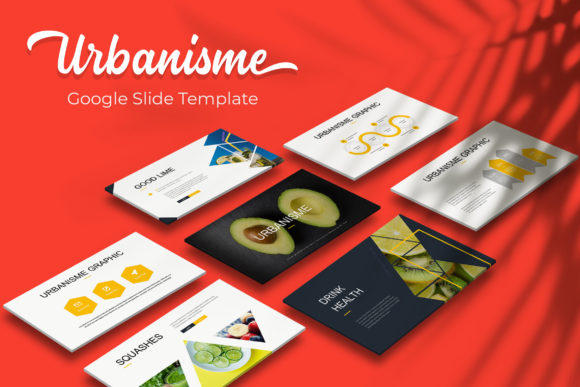
Urbanisme Google Slide Template: Design Efficiency
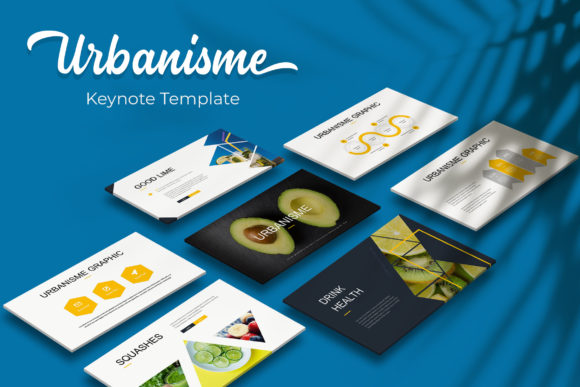
Creating a professional presentation often involves balancing aesthetic appeal with strict deadlines. For urban planners, architects, real estate developers, and creative professionals, the visual structure of a deck is just as important as the data it contains. The Urbanisme Google Slide Template addresses this specific need by providing a comprehensive design system rather than a simple collection of backgrounds. With 150 total slides distributed across five distinct premade color themes, this resource allows users to bypass the initial design phase and focus immediately on content strategy and narrative flow.
The primary value of this template lies in its architectural approach to slide design. Instead of offering generic layouts, it provides 30 unique slides for each of the five color variations. This structure ensures that whether you are presenting a municipal development plan, a portfolio review, or a marketing strategy, the visual language remains consistent and intentional. By utilizing a master slide foundation, every element maintains alignment and proportion, reducing the friction typically associated with customizing complex presentations.
Streamlining Workflow Through Master Slide Architecture
Efficiency in presentation design comes from understanding how templates function behind the scenes. Urbanisme is built entirely on master slides, which serves as the backbone for global changes. When you adjust a logo, font style, or footer element on the master slide, that change propagates instantly across all relevant layouts. This feature is particularly valuable for teams or agencies managing multiple client decks simultaneously. Rather than formatting individual slides one by one, you can rebrand an entire 30-slide section in moments.
This technical foundation supports a drag-and-drop workflow that feels intuitive rather than restrictive. Picture placeholders are engineered to accept images without distortion, maintaining aspect ratios automatically. For professionals who frequently update portfolios or project showcases, this eliminates the tedious task of cropping and resizing photos manually. The resizable and editable graphic elements further enhance this flexibility, allowing users to adapt pre-designed charts and diagrams to their specific datasets without breaking the visual harmony of the deck.
Visualizing Complex Data with Handcrafted Infographics
Urban planning and architectural projects inherently involve dense information. Translating zoning laws, demographic shifts, or construction timelines into digestible visuals is a common challenge. The Urbanisme Google Slide Template includes handcrafted infographics specifically designed for this purpose. Unlike auto-generated charts that often look sterile or disconnected from the overall theme, these illustrations are pixel-perfect and integrated directly into the design language.
These infographics serve as functional communication tools. A timeline slide, for example, is not merely decorative; it provides a structured framework for explaining phased developments. Similarly, comparison layouts help stakeholders weigh options between different site plans or material choices. Because these graphics are fully editable vector-based elements within PowerPoint and Google Slides, you can modify colors, labels, and values to match your exact requirements while retaining the professional polish of the original design. This capability transforms abstract concepts into clear, actionable insights for clients and community members.
Strategic Color Variations for Audience Adaptation
Color psychology plays a significant role in how presentation content is received. The inclusion of five premade color schemes in Urbanisme allows presenters to tailor the emotional tone of their deck to the specific audience or project type. A muted, earth-toned palette might be appropriate for a sustainability report or historical preservation proposal, conveying stability and environmental sensitivity. Conversely, a high-contrast, modern scheme could better suit a tech-forward smart city initiative or a contemporary real estate pitch.
Having 30 dedicated slides for each color variation means you do not have to manually recolor elements to switch themes. You simply select the file that aligns with your branding guidelines or project mood. This versatility extends beyond aesthetics; it supports cognitive processing. Consistent color coding helps guide the audience through different sections of a lengthy presentation, creating visual landmarks that improve information retention. For freelancers and consultants working with diverse clients, this multi-theme capability effectively provides five separate templates in one package, maximizing return on investment.
Enhancing Narrative Flow with Section Breaks and Portfolios
A common pitfall in professional presentations is poor pacing. Audiences struggle to process information when slides blur together without clear transitions. Urbanisme addresses this through dedicated section break slides and gallery layouts. These transitional elements act as visual breathers, signaling a shift in topic and giving viewers a moment to consolidate what they have learned before moving forward. In a 150-slide ecosystem, these structural components are essential for maintaining engagement during detailed technical briefings.
The portfolio and gallery slides deserve special attention for creatives and firms showcasing visual work. These layouts prioritize imagery while providing adequate space for captions and context. They are designed to let photographs speak for themselves without competing against heavy graphical elements. Whether displaying architectural renderings, interior design concepts, or urban photography, these slides provide a clean, museum-quality backdrop. The picture placeholders ensure that your work is presented consistently, regardless of the original photo dimensions, creating a cohesive visual narrative throughout the deck.
Practical Considerations and Implementation Details
Before integrating Urbanisme into your workflow, it is important to understand exactly what is included to manage expectations effectively. The package contains five PPTX files and five widescreen PPTX versions, ensuring compatibility across different display formats and software preferences. A Readme First file guides users through setup, including a direct download link for the free fonts used in the template. This attention to typography ensures that the deck renders correctly on any machine, preventing the layout shifts that occur when system fonts substitute missing typefaces.
Users should note that all photographs and pictures shown in preview materials are for illustration purposes only and are not included in the download. This is standard practice for premium templates but requires preparation. You will need to source your own high-resolution imagery to populate the placeholders. While this adds a step to the process, it ultimately results in a more authentic presentation tailored to your specific project rather than relying on generic stock photography. Budgeting time for image selection and curation is as important as the slide assembly itself.
Who Benefits Most from This Design System
While versatile, Urbanisme offers distinct advantages for specific user groups. Urban planners and architects will find the most immediate value due to the template’s inherent structural aesthetic and infographic capabilities. Real estate marketers benefit from the polished portfolio layouts and professional color palettes that elevate property listings. Educators and academics teaching urban studies or design can utilize the extensive slide library to create visually engaging course materials that maintain student interest.
Freelancers and small agency owners also stand to gain significantly. The ability to rapidly deploy a high-end design system reduces billable hours spent on formatting, allowing more focus on strategy and content. However, users seeking highly animated, motion-heavy templates may find Urbanisme too static. It prioritizes clarity and structure over kinetic effects. Similarly, those needing specialized engineering diagrams or financial modeling tables may need to supplement this template with industry-specific add-ons. Understanding these boundaries ensures you select a tool that aligns with your actual presentation needs rather than aspirational ones.
Ultimately, the Urbanisme Google Slide Template functions as a productivity multiplier. By solving fundamental design problems—consistency, hierarchy, data visualization, and branding—it frees up mental bandwidth for higher-level communication tasks. The 150-slide count is not about volume for its own sake; it represents a comprehensive toolkit covering the vast majority of professional presentation scenarios. When leveraged correctly, it transforms the daunting task of deck creation into a streamlined, strategic process that enhances both the presenter's confidence and the audience's comprehension.