Understanding the Secure Transaction Icon: A Key Element in Modern Digital Security
The secure transaction icon is a familiar symbol that you've likely across various digital platforms, from e-commerce websites to banking apps. This small but powerful graphic plays a crucial role in ensuring that your online transactions are safe and secure. In this article, we'll explore what the secure transaction icon is, its significance, and how it fits into the broader landscape of digital security.
What Is the Secure Transaction Icon?
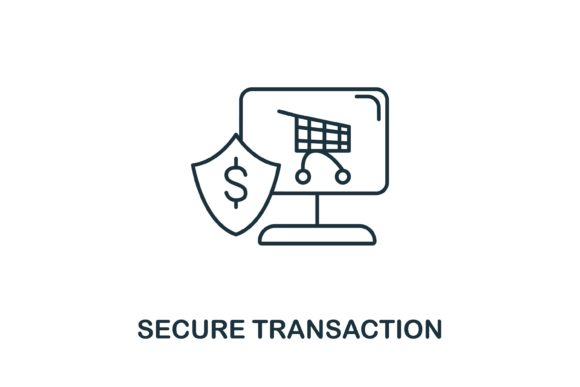
The secure transaction icon is a visual representation, often depicted as a padlock or a shield, that indicates a website or application is using secure protocols to protect user data. This icon is typically found in the address bar of web browsers, next to the URL, or within the interface of an app where financial transactions take place.
Common Variations of the Secure Transaction Icon
- Padlock: The most common and recognizable form, often seen in web browsers.
- Shield: Used in some applications and websites to signify protection.
- Key: Less common, but still used to indicate encryption and security.
The Significance of the Secure Transaction Icon
The presence of the secure transaction icon is not just a visual cue; it serves a critical function in the world of digital security. When you see this icon, it means that the connection between your device and the server is encrypted, making it difficult for hackers to intercept and read your data.
Encryption and SSL/TLS Protocols
The secure transaction icon is usually associated with the use of Secure Sockets Layer (SSL) or Transport Layer Security (TLS) protocols. These protocols establish a secure and encrypted link between a web server and a browser, ensuring that any data transmitted, such as credit card numbers or personal information, remains confidential.
Practical Relevance in Daily Life
In today's digital age, the secure transaction icon is more relevant than ever. Whether you're shopping online, transferring money, or accessing sensitive information, this icon provides a quick and easy way to verify that your data is being handled securely.
Examples of Use Cases
- E-Commerce: When making a purchase on an e-commerce site, the secure transaction icon reassures you that your payment information is protected.
- Online Banking: Banks and financial institutions use this icon to indicate that your transactions and personal information are secure.
- Email Services: Some email providers use the secure transaction icon to show that your emails are encrypted and protected from unauthorized access.
Common Misunderstandings and Clarifications
While the secure transaction icon is a strong indicator of security, it's important to understand its limitations. Here are some common misunderstandings and clarifications:
- Misunderstanding 1: The icon guarantees 100% security.
Clarification: While the icon indicates that the connection is secure, it does not guarantee that the website itself is free from other security vulnerabilities. Always ensure you are on a legitimate and trusted site.
- Misunderstanding 2: The icon only matters for financial transactions.
Clarification: The secure transaction icon is important for any type of sensitive data, including personal information, login credentials, and private messages.
How to Use the Secure Transaction Icon in Design
For designers and developers, incorporating the secure transaction icon into logos, infographics, and user interfaces (UI) can enhance the trust and security perception of your product. Here’s how you can use it effectively:
Logo and Infographic Integration
When designing a logo or infographic, the secure transaction icon can be a creative element that conveys a sense of security and reliability. For example, a financial app might include a stylized padlock in its logo to emphasize its commitment to data protection.
User Experience (UX) and User Interface (UI) Design
In UX and UI design, the secure transaction icon should be prominently displayed during critical actions, such as entering payment details or confirming a transaction. This not only enhances the user's trust but also aligns with best practices in user experience design.
Conclusion
The secure transaction icon is a vital component in the digital security landscape, providing users with a clear and reassuring signal that their data is being protected. By understanding its purpose, significance, and practical applications, you can better navigate the online world with confidence. Whether you are a user, designer, or developer, the secure transaction icon is a powerful tool in ensuring a secure and trustworthy digital environment.
Resources
If you need the secure transaction icon for your project, you can find high-quality vector graphics in various formats, including EPS and JPG files. These files are easy to edit and use, making them ideal for a wide range of applications, from logos to infographics and UI elements.
Download Secure Transaction Icon